10 Best Vedic Astrology Apps and Software in 2026
Discover the 10 best Vedic astrology apps and software including Moon Dasha, Jagannatha Hora and AstroSage. Compare features, pricing, Dasha tools, charts and what to consider before choosing.
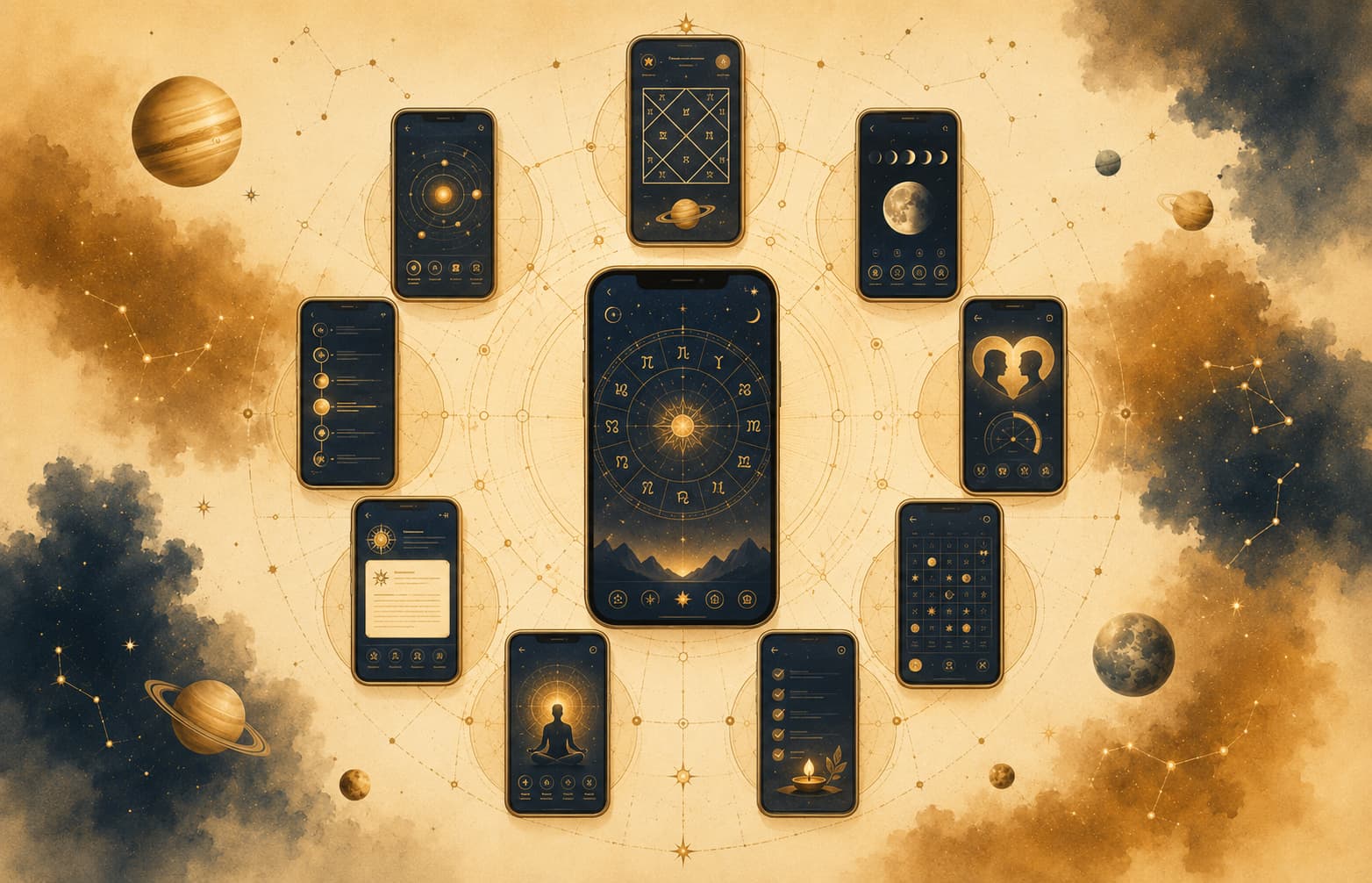
If you have opened three astrology apps and received three slightly different charts, you are not imagining the problem. Different defaults for Ayanamsha, nodes and houses can change the result. This guide sorts out which tools are useful and what you need to check before trusting them.
Summary: Moon Dasha is the strongest all-round modern web workspace in this comparison, while Jagannatha Hora remains exceptional for free technical depth on Windows. AstroSage is convenient on mobile, Deva Guru serves advanced browser-based research, and FarFarAway is better for readable interpretation than professional calculation work.
There are more useful Jyotish tools than ever, but also more ways to choose the wrong one. Free mobile apps promise instant Kundli generation. Professional programmes offer rare divisional charts, multiple Dasha systems and research controls that most beginners may never use.
I ranked these tools by calculation depth, usability, platform access, interpretive value and cost. No single programme wins every category. Your best option depends on whether you need a quick chart, a consultation workspace, a research engine or a readable explanation of your own Kundli.
Quick Takeaways
- Moon Dasha leads as a modern web workspace for Vargas, seven Dasha systems, planetary strengths, transits and compatibility.
- Jagannatha Hora remains the most powerful free desktop programme for serious research.
- AstroSage offers one of the widest mobile toolsets and supports nine Indian languages.
- Professional desktop tools such as Parashara’s Light and Shri Jyoti Star excel in customisation and multi-system support.
- Deva Guru is the strongest advanced browser option for users who want deep technical controls without desktop installation.
- FarFarAway prioritises narrative explanation and personal readings over professional chart management.
- Prokerala and Astro-Seek work well for focused calculations and quick cross-checks.
- Always verify Ayanamsha settings, house system and ephemeris source before trusting any chart.
What to Consider When Choosing Vedic Astrology Software or an App
Start with the way you plan to use the software.
Planetary accuracy comes first. A programme must use a reliable ephemeris such as Swiss Ephemeris or NASA JPL data and allow the user to select the preferred Ayanamsha (Lahiri is the most common in India). Small differences in longitude can shift Nakshatra boundaries and therefore change the starting point of Vimshottari Dasha.
Then check its classical techniques. A serious tool should calculate multiple Dasha systems (Vimshottari, Ashtottari, Yogini, Chara, Kalachakra), Shadbala, Ashtakavarga, Arudha Padas, and at least the standard sixteen divisional charts. Advanced users also look for Jaimini Karakas, special Lagnas and Upagrahas.
Ease of use and interface design affect daily productivity. Beginners benefit from clear North or South Indian chart styles, simple birth-data entry and readable dasha tables. Professionals often prefer highly customisable worksheets and the ability to overlay transit charts on the natal chart.
Platform and offline capability matter. Desktop software that works without internet is essential for consultations in places with unreliable connectivity. Mobile apps and browser-based tools offer convenience but may require constant data connection.
Pricing models range from completely free to one-time licence fees of several thousand rupees or annual subscriptions. Free tools are excellent for learning, yet many professional features remain locked behind paid versions.
Report generation, print quality and export options help when sharing charts with clients. The ability to save large numbers of charts, import data from other programmes and perform research searches across a database becomes valuable once a practice grows.
Updates and documentation matter over time. Software that has not been maintained for years may contain outdated city databases or calculation errors.
Before comparing platforms, generate one reference chart and keep the birth data unchanged. It will help you spot differences in Ayanamsha, node settings and house calculation.
The rankings below reflect those tradeoffs.
1. Moon Dasha: Best Overall Modern Jyotish Workspace
I ranked Moon Dasha first because it puts a broad technical toolkit inside a browser interface that is easy to follow. The name makes it sound like a Vimshottari timeline calculator, but the platform covers charts, planetary timing, strength assessment, transits and interpretation.
The chart library is broad. Moon Dasha supports the standard Shodashvarga set, alongside rare charts such as D11, D81 and D108. Users can also examine Arudha Lagna, Bhava Chalit, Chandra Kundali and Surya Kundali. Four regional chart formats, a Western wheel and Sudarshan Chakra let you stay with the visual system you already understand.
The Dasha area currently brings together seven systems: Vimshottari, Yogini, Ashtottari, Chara, Kaal Chakra, Narayana and Sudarshan Chakra. Maha Dasha, Antar Dasha and Pratyantar Dasha levels are available for closer timing work. This breadth makes Moon Dasha relevant beyond beginners, especially when you want to compare a familiar Nakshatra-based system with a sign-based Dasha. If the terminology is new, start with this guide to Vimshottari Dasha.
Most consumer apps show placements and leave the strength assessment to you. Moon Dasha includes Shadbala, Vimsopaka Bala, Vaiseshikamsa Bala, Ashtakavarga and Bhava Bala. Used together, these systems help distinguish a prominent planet from a genuinely capable one.
Transit work includes yearly views, Sade Sati, Dhaiya, Saturn returns and a Weighted Transit Index. The last feature is designed to present changing transit pressure in a more readable form. As always, a transit score should be read alongside the natal promise and running Dasha, not treated as a standalone prediction. The site also supports eight Ayanamshas, which is useful when comparing schools.
There is more than natal chart work here. The love compatibility tool combines Vedic Guna Milan with two Western synastry methods. Users can create shareable chart summaries and hide personal details before sharing them. Separate public tools cover live planetary positions and Moon phases.
The tradeoff is that Moon Dasha is browser-based and currently marked beta, so its interface and feature availability may change. Researchers who need control over every classical calculation rule may still keep Jagannatha Hora or another desktop programme as a second reference.
I would choose it for students and practising astrologers who want serious Jyotish calculations with multi-device access. It is particularly good when your workflow moves between Vargas, Dashas, planetary strength and transits. This explanation of the modern meanings of houses and signs provides useful background.
2. Jagannatha Hora: Best Free Desktop Software for Serious Students
Jagannatha Hora, developed by P.V.R. Narasimha Rao, is still one of the deepest free Vedic astrology programmes available. Version 8.0 is made for computation and research rather than guided interpretation. It gives you extensive control, but assumes you know what you are asking it to calculate.
The official feature list includes 23 divisional charts, from Rashi and Navamsha through D81, D108 and D144. It also supports multiple variants of several Vargas and a configurable divisional chart system for advanced experimentation. Researchers can work with special Lagnas, Arudha Padas, Upagrahas, Bhava Chalit options, strength calculations and a large collection of Dasha systems.
Jagannatha Hora can use Drik Siddhanta based on modern astronomical models or classical Siddhanta approaches. This is valuable for people studying how calculation traditions differ. It also exposes detailed options for Ayanamsha, true or mean nodes, house division, sunrise conventions and other settings that simpler apps often hide.
The full Windows installation is about 102 MB. According to the developer’s site, it includes an ephemeris covering 12,899 BCE to 16,900 CE and an atlas of roughly 2.5 million locations. A smaller installation is available, but it has a narrower high-accuracy date range and a limited atlas.
The programme is free, runs natively on Windows and can be used on Mac or Linux through Windows compatibility software. Its interface reflects an older desktop era, and learning where each calculation lives takes time. There is also little hand-holding. You receive data, not a polished narrative explaining what that data means.
It suits researchers, teachers and committed students who want maximum calculation control without a licence fee. I also use it as the benchmark for checking rare Vargas or technical settings from newer web platforms.
3. AstroSage Kundli: Best Mobile App for Everyday Use
AstroSage Kundli puts a substantial Jyotish toolkit on a phone. AstroSage states that the app has crossed 70 million downloads, and the number of services packed into one account helps explain its reach.
The app includes Kundli generation, horoscope matching, Panchang, planetary positions and downloadable PDF charts. Its wider calculation menu covers Vimshottari and Yogini Dasha, Shodashvarga, Shadbala, Bhava Bala, Ashtakavarga tables, KP, Jaimini factors, Lal Kitab, Arudha charts, Navatara, Sade Sati, Kaal Sarp Yoga and remedy-oriented reports.
The official app page lists Hindi, English, Bengali, Marathi, Gujarati, Tamil, Telugu, Malayalam and Kannada. Charts can be saved to AstroSage Cloud, shared and revisited across devices. That helps students maintain a personal chart library and gives practitioners quick access away from a desktop.
AstroSage now has a larger AI ecosystem, but it is important not to confuse every AI offering with the core Kundli app. Bhrigoo AI and consultation services sit within the broader AstroSage network. Automated interpretation can help identify topics to study, yet it should not replace a structured review of dignity, lordship, aspects, Vargas and planetary periods.
The core app is free, with paid reports, consultations and other services available across the platform. The interface can feel busy because calculations, predictions, remedies, commerce and consultations live close together. Users seeking a quiet research environment may prefer Moon Dasha, Deva Guru or desktop software.
This is the practical choice for everyday mobile charts, multilingual access, Panchang checks and basic client preparation.
4. Parashara’s Light
Parashara’s Light is long-running professional software for Windows and Mac. Version 9 combines traditional calculations with interactive charts, configurable workspaces and a substantial library of interpretations. It works well for astrologers who want chart calculation, prediction and report preparation in one desktop programme.
The software covers divisional charts, numerous Dasha systems, transits, compatibility, Muhurta, Varshaphala, Jaimini analysis, yogas and advanced strength calculations. Its interactive Dasha and transit tools allow an astrologer to move through dates and study how planetary periods align with events. The ability to redesign screens is especially useful during consultations because you can place the natal chart, Navamsha, Dasha table and transit data on one working page.
Parashara’s Light differs from calculation-only software because interpretation is a major part of the package. Built-in reports discuss the Ascendant, planets, signs, Nakshatras, houses, lordships, conjunctions, aspects and strengths. Classical-source tools can also surface yogas that apply to the active chart. This material is helpful for study, but a practitioner should still verify each rule instead of copying report text directly into a reading.
The current official store lists version 9 at US$299 for either Windows or Mac, and US$450 for a dual-platform licence. That is a meaningful investment compared with free tools. In return, users receive polished reports, flexible worksheet design and a long-standing professional workflow.
There is a risk of getting lost in the material. A new student can end up reading generated interpretations without learning how factors are prioritised. It also requires a desktop installation and costs considerably more than browser-based options.
I would consider it for professional astrologers who prepare client reports, teach from custom layouts or want calculations and interpretations in the same desktop programme.
5. Shri Jyoti Star
Shri Jyoti Star, developed by Andrew Foss, is designed for astrologers who want depth across several schools rather than a single fixed interpretive method. The official site currently offers version 9 through a one-time payment and version 10 through a subscription with a free trial.
Its scope includes Parashara, Jaimini, Tajika, KP, Systems Approach and selected Western techniques. The programme also provides tools for Muhurta, Prashna, rectification and astromapping. This makes it particularly valuable for practitioners whose work moves beyond standard natal interpretation.
The custom yoga module deserves attention. Users can define combinations and search saved charts or time periods for those conditions, which is far more useful for research than a static list of preloaded yogas. Teachers can also build their own reports and page layouts for handouts, case studies or consultations.
Shri Jyoti Star is currently presented as Windows-compatible, including Windows 11 and recent 64-bit versions. Mac users should check the developer’s current compatibility guidance before purchasing. Pricing varies by version and licence model, so it is better to consult the official store than rely on an older quoted amount.
The menus can overwhelm a beginner. Shri Jyoti Star supports many systems, teacher-specific techniques and configuration choices, and it is not always obvious which settings belong to your lineage or why two methods produce different results.
It makes the most sense for experienced practitioners who need custom yoga searches, rectification, Prashna or support for several schools.
6. Deva Guru
Deva Guru is a technical Jyotish application that runs in a browser on desktop, tablet and mobile. It is rooted in a specific parampara (teaching lineage), which shapes both its calculations and the terminology used throughout the interface.
The free Kāla edition provides D1, D9 and D60, Navagraha information, standard Panchang details, all Bhava Arudha Padas and Vimshottari Dasha from the Moon’s Tara through very deep subcycles. Users can choose North, South, East Indian and Sarvatobhadra chart styles. Its atlas covers more than 5.1 million locations.
The Velā edition expands the programme to the standard 16 Vargas. It adds Chara Karakas, Pātyāṁśa, Hora Lagna, Ghatika Lagna, Bhava Lagna, Upagrahas, Shadbala, Vimsopaka Bala and a personalized Muhurta search based on Navatara. It also supports chart imports from Jagannatha Hora and Shri Jyoti Star, custom coordinates, saved settings and up to 1,008 charts across three devices.
The Horā edition moves into research-level territory. Its official pricing page lists 41 Varga implementations, including rare D81, D108, D144 and D150 options. It also adds a long list of Nakshatra-based and sign-based Dashas, multiple Arudhas, detailed Ashtakavarga, Bhava Bala, Graha Drishti, Sphuta calculations, Pravesha charts, astrocartography, chart overlays and an interlaced Dasha-event view. Users can save up to 10,008 charts.
Deva Guru is one of the strongest browser choices for advanced practitioners, but the interface is dense. Sanskrit labels, lineage-specific options and numerous calculation controls can overwhelm someone who only wants a readable natal chart.
There is no need to install desktop software. Deva Guru’s own FAQ advises mobile users to open the website in their browser while its dedicated app remains in testing. The free edition is genuinely useful, while the larger editions follow yearly or monthly subscription models.
Choose it if you already understand Jyotish terminology and want advanced calculations, saved charts and research tools without being tied to one computer.
7. Prokerala Astrology
Prokerala works best as a collection of focused online calculators. You can generate a Kundli, Navamsha, planetary positions, Dasha periods, Ashtakavarga, Sade Sati, Mangal Dosha and Kaal Sarp Yoga without installing an application. Separate tools cover Nakshatra, Tarabalam, Chandra Bala, Panchang, Choghadiya, Rahu Kalam and regional marriage-matching systems.
The KP section includes charts, house significators, planet significators and sub-lord calculations. Prokerala also covers Western natal charts, transits, synastry and other non-Jyotish tools, which is convenient if you compare traditions.
I mostly use Prokerala for quick checks. If you need today’s Panchang, a dosha check or a chart to cross-reference, the relevant calculator is easy to find. It is less convenient for sustained casework because information is divided across many pages rather than organized into one client workspace.
The company also operates an astrology API with Vedic horoscope, Panchang, matching, KP and customizable PDF-report endpoints. That matters to developers building astrology websites, though it is separate from the needs of an ordinary chart reader.
Use it for fast browser calculations, regional Panchang and matching tools, or when evaluating an astrology API. For settings that can change chart results, read this comparison of Lahiri and other Ayanamsha systems.
8. Astro-Seek
Astro-Seek began with a Western and traditional astrology focus. Its sidereal area now includes birth charts, transit charts, solar returns, synastry, ephemerides and an Ayanamsha calculator. It is useful when you need to compare tropical and sidereal positions quickly.
The interface is especially good for date searches, transit lists and visual wheel charts. Students who move between Western and Vedic astrology can keep similar workflows while changing zodiac settings. It is also free and works without installing desktop software.
However, choosing a sidereal zodiac does not automatically turn a Western chart tool into a complete Jyotish system. Astro-Seek does not offer the same integrated depth in Dashas, Arudhas, Shadbala, Bhava Bala and classical Varga analysis that you receive from a dedicated platform. Its circular chart presentation can also feel unfamiliar to readers trained only in North or South Indian formats.
I would use it for sidereal ephemeris checks, transits, synastry and comparisons between Western and Vedic frameworks. It is a companion tool, not my first choice for complete Jyotish analysis.
9. FarFarAway (Far Far Away)
FarFarAway turns chart factors into a readable, story-led interpretation. It belongs in a different category from professional calculation tools such as Jagannatha Hora, Deva Guru and Parashara’s Light.
The free birth-chart flow uses your date, time and place of birth to create a personalized story. The site states that planetary positions are fetched from NASA data and location coordinates from Google Maps. Its chart area includes a natal chart and table, Nakshatra-based analysis, D9 Navamsha, D10 Dashamsha, planetary time periods and transit views. It also explains planets and houses in plain language.
The presentation is made for beginners. Instead of a wall of tables, you get an explanation of what the chart may mean. D9 is connected to partnership themes, D10 to career direction, and Dashas to changing periods of life.
The compatibility calculator offers two different approaches. Users can choose Vedic Guna Milap based on the Moon, Moon sign and Nakshatra, or a Western synastry approach that compares interactions between two charts. The interpretation then breaks compatibility into practical areas such as mental balance and intimacy. One limitation is that the current input flow is explicitly framed for a woman and a man, so it is not fully inclusive for every relationship.
FarFarAway also offers paid readings by a human astrologer. At the time of review, the full birth-chart reading is listed at £40. The service covers personality and life direction, career, relocation, partnership and upcoming periods through the main chart, D9, D10 and Dasha table. It includes an initial video and summary material, followed by an opportunity to send background information and questions.
This combination of automated storytelling and human follow-up makes FarFarAway useful for personal reflection. It is not designed to manage thousands of charts, configure rare Vargas or test multiple classical calculation rules.
It suits readers who want a narrative explanation of their chart and the option of an affordable human reading. Technical students should pair it with a transparent calculation tool.
10. Vault of the Heavens
Vault of the Heavens is an astrology report service associated with Ernst Wilhelm and Srishti Wilhelm. Kala is their separate Vedic astrology software product.
The report platform grew from software created to generate relationship and personal astrology interpretations. Its approach reflects Ernst Wilhelm’s systematic study of Parashara and Jaimini, while Srishti Wilhelm developed the software behind the reports. This background gives the service a clear interpretive lineage rather than a generic collection of horoscope paragraphs.
The related Kala software is the calculation environment intended for practitioners studying those methods. It includes specialized calculations connected with the teaching material available through Ernst Wilhelm’s books and courses. Users interested in that school will gain more value when the software and instruction are used together.
Vault of the Heavens is therefore less suitable as a neutral comparison engine. Its value lies in interpretation and in its connection to a specific systematic approach. Anyone wanting a general-purpose chart manager should look higher in this list. Anyone studying Ernst Wilhelm’s methods may find the ecosystem unusually coherent.
It is most relevant to readers seeking detailed reports and students already working with Ernst Wilhelm’s Parashara and Jaimini framework.
Feature Comparison Overview
| Tool | Platform | Key Strength | Pricing Model | Best For |
|---|---|---|---|---|
| Moon Dasha | Web | Complete modern Kundali workspace | Account-based beta platform | Charts, timing and prediction |
| Jagannatha Hora | Windows desktop | Technical depth and calculation control | Free | Serious students and research |
| AstroSage Kundli | Mobile and web | Accessibility and multilingual tools | Free with paid services | Everyday mobile use |
| Parashara’s Light | Windows and Mac | Reports and professional customization | Paid licence | Client-facing practitioners |
| Shri Jyoti Star | Windows desktop | Research and multi-system support | One-time or subscription | Teachers and researchers |
| Deva Guru | Browser | Advanced calculations without installation | Free and subscription tiers | Technical browser users |
| Prokerala | Web | Fast calculators and Panchang tools | Mostly free, paid reports and API | Quick reference |
| Astro-Seek | Web | Sidereal positions and transit tools | Free | Cross-system comparison |
| FarFarAway | Web | Narrative interpretation | Free tools and paid readings | Beginners seeking clarity |
| Vault of the Heavens | Web reports | Systematic interpretive reports | Paid reports | Traditional study and reflection |
Common Mistakes When Selecting Software
Many beginners download the first free app they find and assume the chart is definitive. Different Ayanamshas or house systems can produce noticeably different results. Always note which settings are active.
Another frequent error is expecting interpretive paragraphs to replace personal study. Software calculates positions and periods; judgement still requires knowledge of planetary dignity, house lordship, aspects and the overall chart context.
Overlooking update frequency can leave a user with outdated city coordinates or incorrect daylight-saving data. Prefer tools that receive regular maintenance.
Finally, paying for advanced features before mastering the free or basic versions often leads to unused complexity. Start simple, identify genuine needs, then upgrade.
Practical Advice for Daily Use
Enter birth data carefully, including seconds if known, and double-check the place name against the atlas. Generate the Rashi and Navamsha charts first, note the Lagna and Moon Nakshatra, then examine the current Mahadasha and Antardasha. Only after understanding the natal promise should transit charts be overlaid.
Save important charts with clear file names that include the person’s name and birth year. Export PDF copies for client records. When comparing two programmes, use the same Ayanamsha and house system so differences can be attributed to calculation methods rather than settings.
Summing Up
Vedic astrology software now ranges from free desktop research engines to polished mobile apps, browser workspaces and personalized report services. Moon Dasha offers the best all-round modern experience in this comparison. Jagannatha Hora provides extraordinary technical depth at no cost, while AstroSage remains convenient for everyday mobile use.
Professional users may combine two tools. A configurable engine such as Jagannatha Hora, Parashara’s Light or Shri Jyoti Star can handle technical casework. Moon Dasha or AstroSage can then provide quick browser or mobile access. Deva Guru is a strong alternative when you need advanced controls but want to remain entirely browser-based.
If interpretation matters more than calculation, FarFarAway serves a different need. It helps a reader understand the story of a chart and offers a path to human follow-up. Prokerala and Astro-Seek are more useful for fast checks than for managing a complete Jyotish practice.
No programme replaces careful study or the judgement of a well-trained Jyotishi. Software should reduce calculation errors and present the chart clearly. Your job is still to connect dignity, lordship, Vargas, Dashas and transits without forcing a conclusion.
Choose the tool that matches the questions you actually ask. A focused programme you understand will serve you better than a vast feature list you never use. If you already work with one of these platforms, compare the same chart in a second tool and note where the settings differ.
Frequently Asked Questions
Is free software accurate enough for professional consultations?
Yes, provided it uses a reliable ephemeris and allows correct Ayanamsha selection. Jagannatha Hora has been trusted by many professionals for years. Always cross-check critical charts with a second source when possible.
Which Ayanamsha should I use?
Lahiri (Chitrapaksha) is the most widely accepted in India. Raman, KP and True Chitrapaksha are also used by some schools. Consistency matters more than the specific choice once a tradition is selected.
Can I rely on mobile apps for Dasha timing?
Basic Mahadasha and Antardasha dates from reputable apps are generally reliable. For fine timing involving Pratyantardasha or Sookshma levels, desktop software with transparent calculation options is preferable.
Do I need both a desktop programme and a mobile app?
Many practitioners keep a full desktop package for detailed work and a mobile app for quick checks and client demonstrations. The combination covers most practical needs.
How important is the atlas and city database?
Very important for accurate house cusps and sunrise calculations. Programmes with large, regularly updated atlases reduce the chance of location errors.
Are AI features in apps trustworthy?
AI can summarise chart factors usefully, yet it should never replace systematic analysis of dignity, aspects, Dashas and divisional charts. Treat AI output as a starting suggestion rather than a final judgement.
What if my preferred software is no longer updated?
Export all saved charts and gradually migrate to a currently maintained programme. Calculation standards evolve with better ephemerides, so long-term reliance on abandoned software carries risk.
About the author
Anika Rao
Editor-in-Chief
Anika Rao is the editor-in-chief of Vedic Astrology Space. Her work brings classical Jyotish into conversation with relationships, identity, emotional life and the questions people carry into a modern chart reading. She is especially interested in nakshatras, the Moon, relational patterns and interpretations that create self-understanding without reducing a person to a placement.
Read the full bioContinue reading
Shukla Paksha and Krishna Paksha Explained
Parashari vs Jaimini vs Nadi vs KP Astrology: Complete Comparison Guide